The inventory & POS app for Philippine fashion & lifestyle shops.
No credit card required · No lock-in
Inventory, restock, and a counter — in one app.
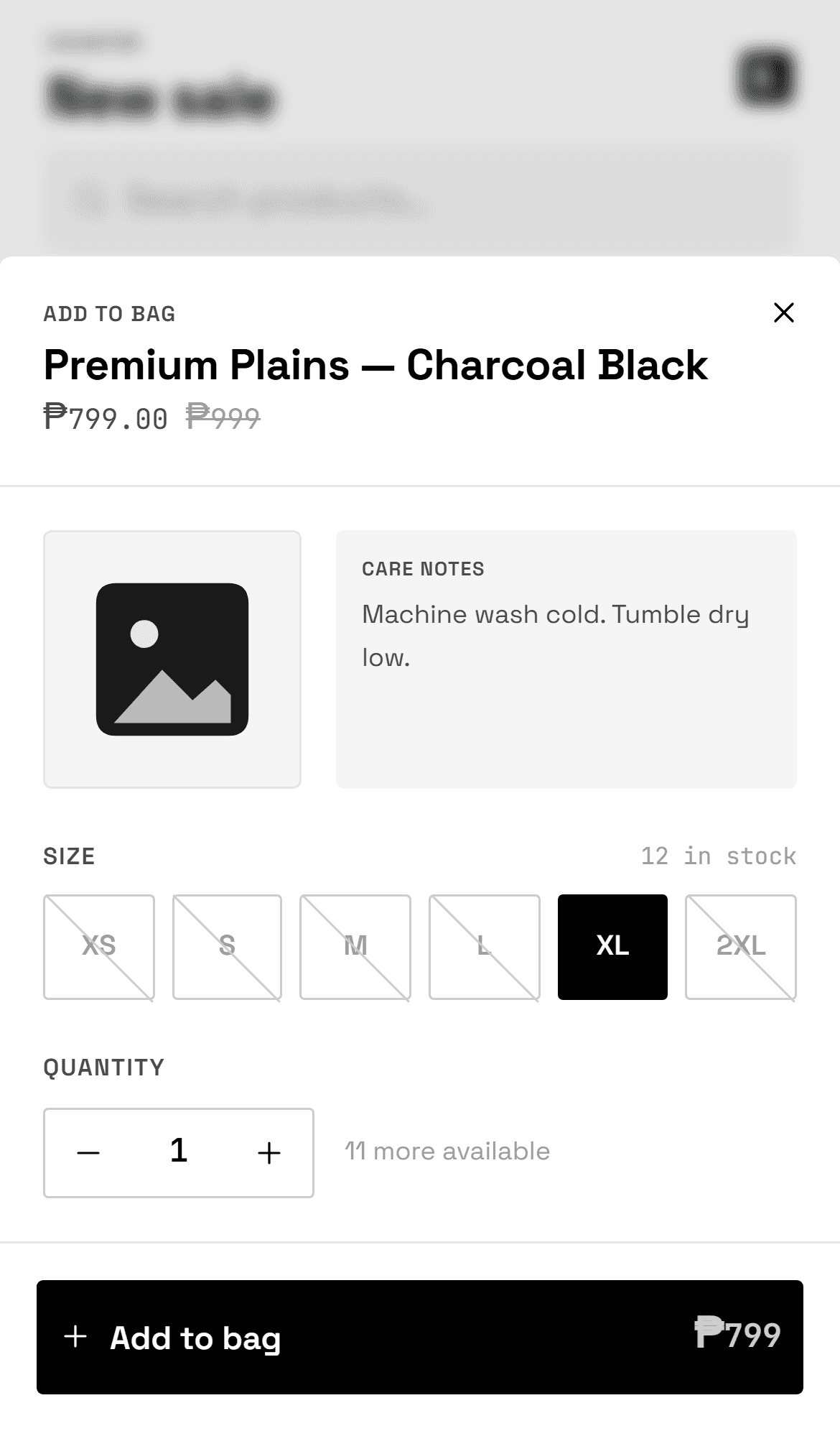
Stock by size & variant
Track stock per size or variant for every product — apparel (XS–2XL), numeric footwear sizes, or one-size bags & accessories. Set a reorder point per product so nothing runs out unnoticed.
Low-stock alerts & restock
When stock drops below a product's reorder point it appears on the Restock screen — grouped by supplier, with a suggested quantity and a one-tap message to reorder. Stop losing sales to an empty shelf.
Bulk import your catalog
Already have your products in Excel or Google Sheets? Import them from a CSV in minutes — sizes, prices, stock and all. No re-typing hundreds of items by hand.
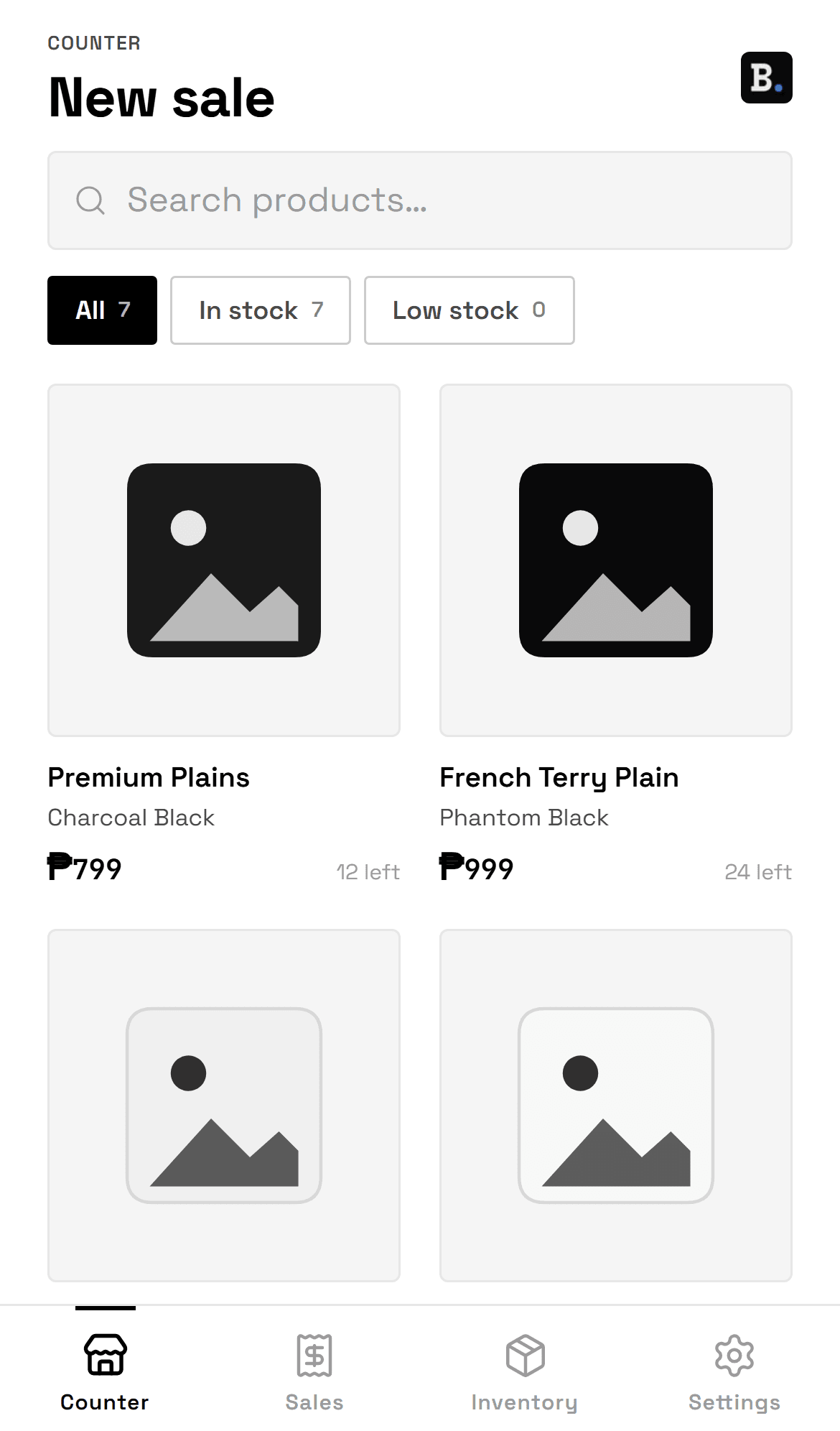
Fast counter (POS)
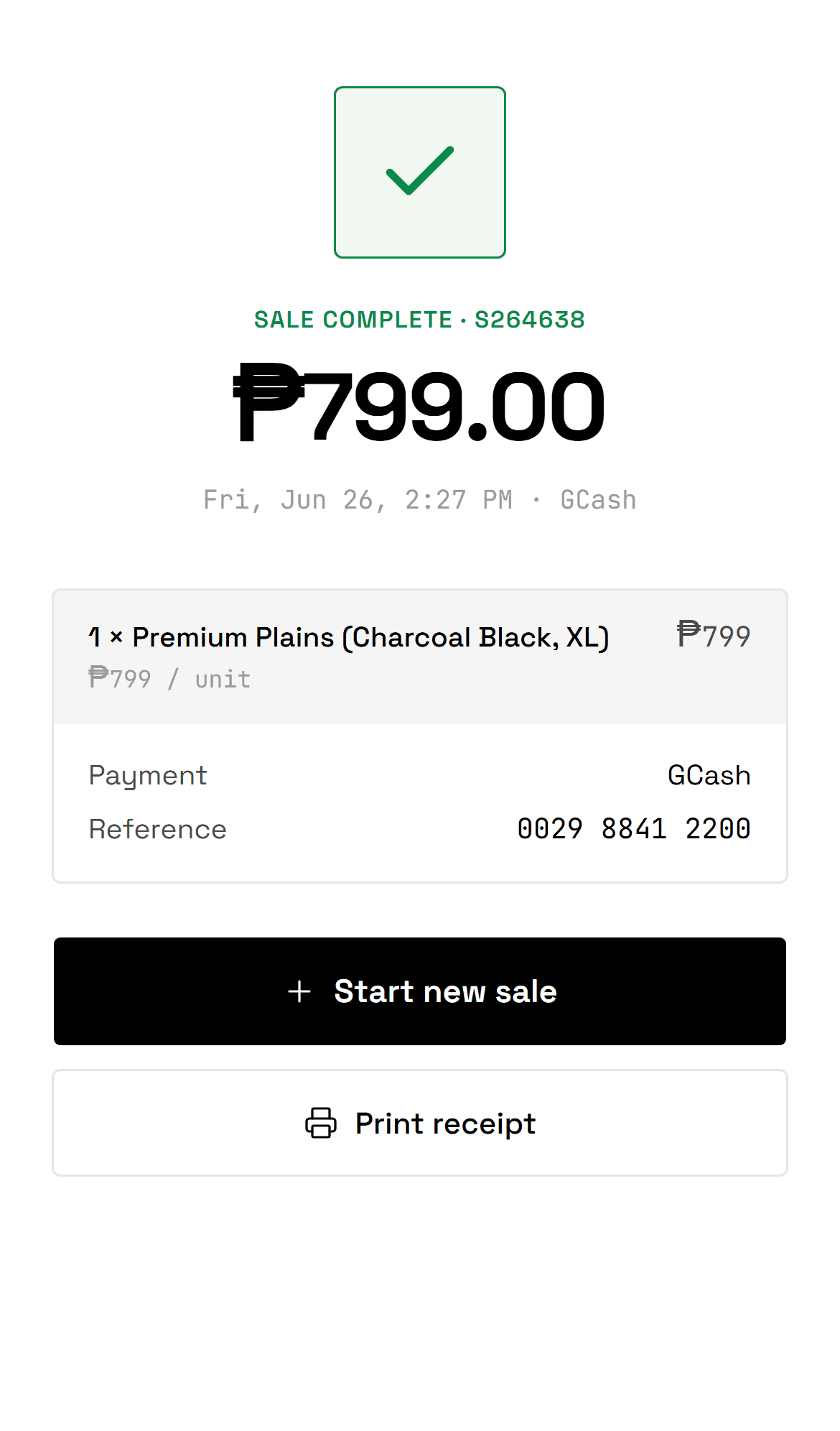
Ring up walk-in sales from your catalog — search by title or colour, pick a size, add to the bag in a tap. Stock decrements automatically when a sale completes.
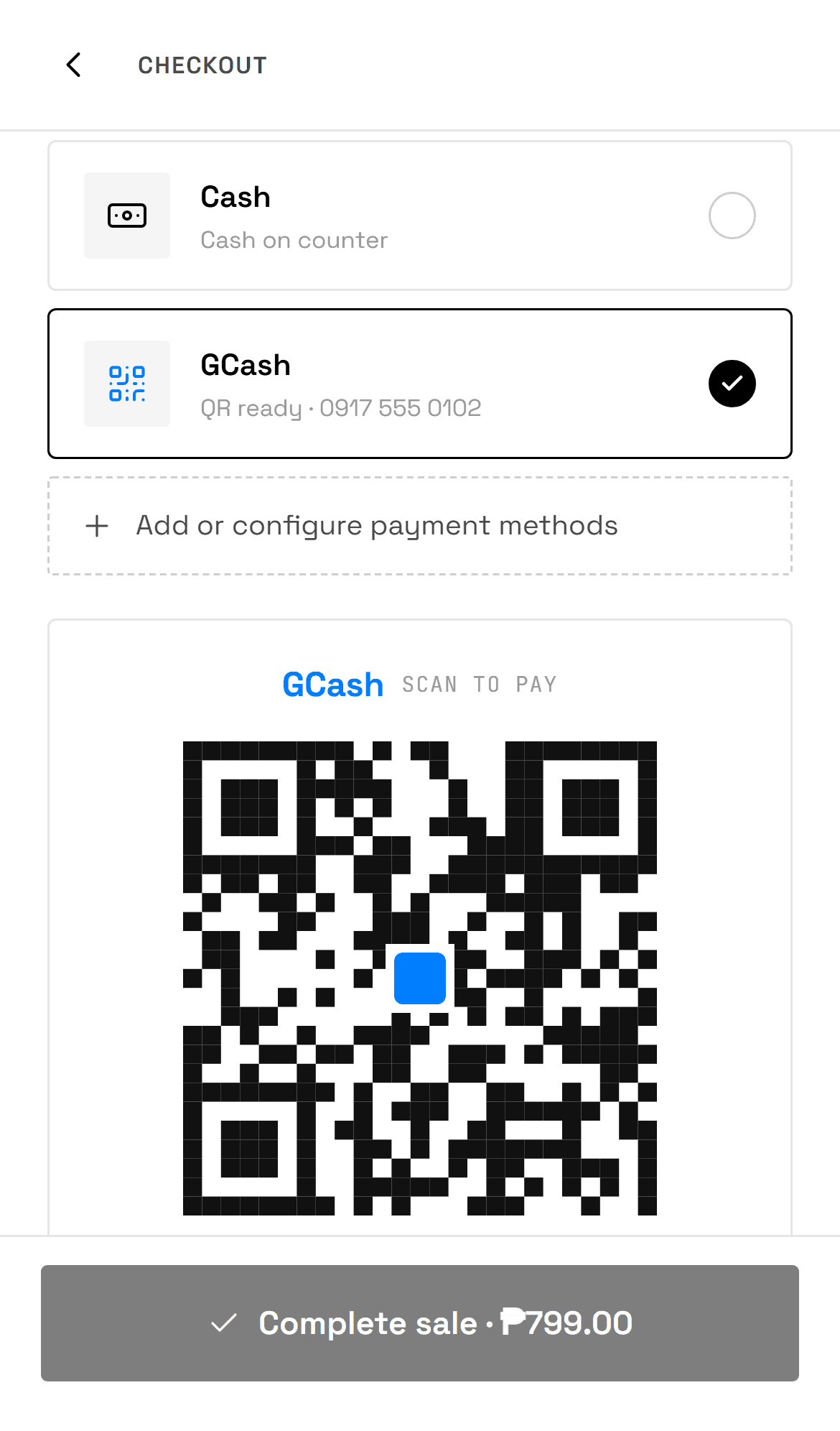
Any wallet, any bank
Take payment with the GCash, Maya, GrabPay, ShopeePay or bank QR you already use — upload it once and your customer scans at the counter. No card terminal, and the QR shows even offline.
Works fully offline
Built offline-first. Keep selling and checking stock when the WiFi drops — everything is cached on the device and syncs the moment you reconnect.
Set up your shop in three steps — and sell the same day.
- 01
Set up your shop
Add your shop name, logo and contact details, then turn on the payment methods you accept. About a minute — no card required to start.
- 02
Import your catalog
Bring your products in from a CSV in minutes — or add them by hand. Set a reorder point and supplier per product so restock alerts work from day one. Prefer not to type it? We'll set it up for you.
- 03
Sell & restock
Open the counter and ring up sales — cash or any e-wallet/bank QR, even offline. As stock runs low, the Restock screen tells you exactly what to reorder.
Peso-first, any-wallet-ready, made for one shop done well.
Prices are in pesos, phone numbers default to +63, and dates read in your local format. Show any e-wallet or bank QR the way your customers already pay. BRiSM Inventory keeps one shop per account, so the counter stays simple and fast — no clutter you’ll never use.
- ₱Peso pricingBuilt around PHP
- QRAny wallet or bankScan-to-pay at the counter
- +63PH contactsLocal phone & receipts
- 1One shopOwner-operated, focused
We'll set up your catalog for you.
Send us your product list in any form — a photo of your notebook, an Excel file, screenshots. We do the data entry and send back a ready-to-import file with your full catalog (sizes, prices, reorder points). You tap Import once on the Inventory screen and you're selling — no blank screen, no typing.
Book a demoBRiSM Inventory pricing — one plan, everything included.
Start with a 14-day free trial. Keep going for ₱249 a month — no per-feature upsells, no setup fee.
BRiSM Inventory FAQ.
- What is BRiSM Inventory?
- BRiSM Inventory is an inventory and point-of-sale app made for fashion & lifestyle shops in the Philippines — apparel, footwear, bags, and accessories. It tracks your stock by size, imports your catalog from a CSV, and flags what to reorder before it runs out. A built-in counter rings up walk-in sales — cash or any e-wallet/bank QR — and works fully offline.
- How do low-stock alerts and restock work?
- Set a reorder point on each product. When total stock falls below it, the product shows up on the Restock screen — grouped by supplier, with a suggested reorder quantity and a one-tap message you can send your supplier over SMS or Viber. No more finding out you're out of size M when the customer is already at the counter.
- Can I import my existing products instead of typing them?
- Yes. If your products are in Excel or Google Sheets, export a CSV and import the whole catalog in minutes — titles, sizes, stock, prices, reorder points and suppliers. Download the template from the Inventory screen. Don't want to type it at all? We'll set up your catalog for you — see below.
- Do you really set up my catalog for me?
- Yes — done-for-you onboarding is included. Send us your product list in any form (a photo of your notebook, an Excel file, screenshots). We do the data entry and send back a ready-to-import file with your full catalog — you tap Import once on the Inventory screen and you're ready to sell, no typing.
- What is a POS system?
- A POS — point-of-sale — system is what you use to ring up a sale, take payment, and update stock. Traditional ones run on a dedicated counter terminal; BRiSM Inventory runs in your browser on any phone or laptop, works offline, and takes payment by QR instead of a card machine.
- Does it work without internet?
- Yes. BRiSM Inventory is offline-first: your catalogue and sales are cached on the device, so you can keep ringing up sales when the connection drops. Everything syncs automatically once you're back online.
- What payment methods can my shop accept?
- Cash with automatic change calculation, plus any e-wallet (GCash, Maya, GrabPay, ShopeePay) or bank via QR codes you upload once. Pick the method at the counter and your customer scans — no card terminal needed. The QR shows even without a signal.
- Do I need a POS machine, card terminal, or credit-card processing?
- No — none of those. BRiSM Inventory is software with no terminal to buy or rent and no credit-card processor or merchant account to set up. You take payment with the QR codes you already use (GCash, Maya, GrabPay, ShopeePay, or any bank) and cash with automatic change. Your phone or laptop is the whole setup.
- What's the difference between a POS system and a cash register?
- A cash register just holds cash and totals a sale. A POS system like BRiSM also tracks your stock by size or variant, records every sale with its payment method, and takes digital payment (GCash, Maya, or any bank by QR) — so you can see what's selling and what's running low, not just what's in the drawer.
- Is there a free trial?
- Yes — every account starts with a 14-day free trial, no credit card required. See the pricing page for what’s included after the trial.
- How much does it cost?
- It's free while we're in early access — billing isn't live yet. The planned price is ₱249/month after the 14-day free trial, with no hardware to buy. See the pricing page for details.
- Is BRiSM an online store like Shopify?
- No — BRiSM is for selling in person. You ring up the customer in front of you and show your payment QR for them to scan at the counter. It doesn't publish your products as an online shop.
- Does it issue official BIR receipts?
- No. BRiSM Inventory records your sales for your own records and restock — it is not a BIR-accredited point-of-sale system and does not issue official BIR receipts or invoices. If your business is required to issue BIR official receipts, keep using your BIR-registered receipts alongside BRiSM.
- Is BRiSM a good POS for a small retail shop in the Philippines?
- Yes — it's built for small fashion & lifestyle shops in the Philippines: apparel, footwear, bags, and accessories. It's affordable, needs no POS hardware, and keeps ringing up sales on your phone even when the WiFi drops.
- Is BRiSM Inventory only for clothing shops?
- It's built for fashion & lifestyle retail — apparel (sizes XS–2XL), footwear (numeric sizes), and one-size bags & accessories. Each product picks the sizing that fits.
Open your counter today.
Start a free 14-day trial and ring up your first sale this afternoon.